Four changes to the pages in one evening: a field behind an envelope that a link brings to the front, an image for links, a dark mode, and a test of accessibility at each push.
The field behind
An envelope in the editor has two sides in one cell of a CSS grid: the face with the header fields, and the letter with the body. One is in front, and the other is behind it and invisible. A switch changes them, with CSS only. When a save fails, a summary at the top of the page has a link to each field with an error. A link to a field on the side behind went to a field that did not show.
With no JavaScript
A link to #KEY-body makes the field of the body the :target of the page. CSS can see it: article:has([data-side="letter"] :target). So the side with the target can come to the front.
But the switch must still work after that. If the target always puts its side in front, the switch does nothing while the address has the target. CSS has no memory, so the state must come from what the page has now: the switch, its checked attribute, and the target. The checked attribute is the state of the render, when the server made the page, and the :checked state is the switch now. A target in the side that was behind at the render changes the places of the two sides, and the switch changes them again:
@custom-variant letter-front {
  article:is(
      :has(> * > [role="switch"]:not([checked]):checked):not(:has(> * > [data-side="letter"] :target)),
      :has(> * > [role="switch"]:not([checked]):not(:checked)):has(> * > [data-side="letter"] :target),
      :has(> * > [role="switch"][checked]:checked):not(:has(> * > [data-side="face"] :target)),
      :has(> * > [role="switch"][checked]:not(:checked)):has(> * > [data-side="face"] :target)
    )
    & {
    @slot;
  }
}
The face, the letter and the button "Open the letter" use the variant letter-front: of Tailwind. A link to the body brings the letter to the front, a link to a header field brings the face back, and the switch works between them.
With JavaScript
LiveView sends the state of the switch to the server, and the server renders the checked attribute again. Then the state of the render changes, and a target in the address could move the sides at the wrong time. So with JavaScript, the link does not change the address. A click on a link of the summary turns the switch when the field is behind. The server then knows that the letter is in front. The field gets the focus when its side shows, after the movement of 0.2 seconds.
A checkbox of a seal
The button "Open the letter" had the classes group-has-checked/env:hidden and group-has-checked/env:inline: the text changed when the envelope had a checked element. But the switch is not the only checkbox in an envelope. Each header field has a lock, a checkbox that seals its value. In a browser, an envelope with a checked lock matched :has(:checked), and the button said "Close the letter" while the letter was behind. The new variant reads the switch only.
An image for links
A link to mkfifo.com in a chat or on a social site showed only a title and a description. Now it also shows an image: the title of the home page, and the example pipe of the home page, with the ingress envelope, the pipe and the egress envelope.
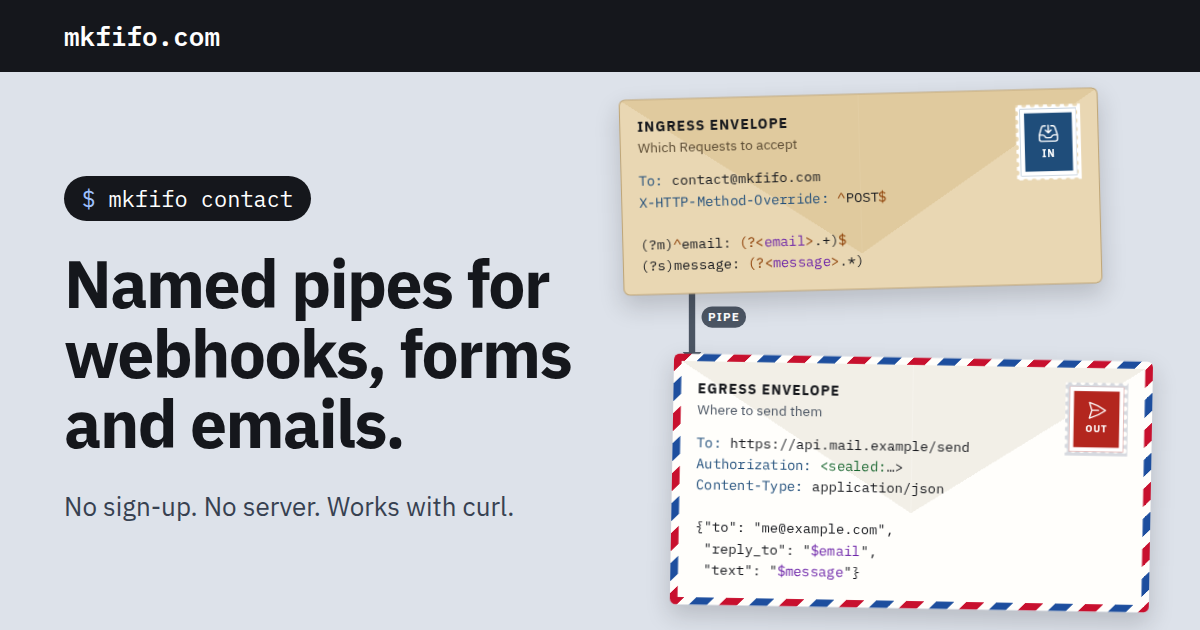
A screenshot of the site
I did not draw the image again. scripts/og-image.mjs opens the home page of a running server in Chromium, takes the figure of the pipe, and puts it in a page of 1200 x 630 pixels with the styles and the fonts of the site. Then it makes a screenshot into priv/static/images/og.png. When the envelopes change, the script makes a new image from them.
The first version of the script used Tailwind classes for the parts around the figure, such as text-[64px]. They did nothing: the CSS of the site has only the classes that the site uses. The figure has its classes from the page, and the parts around it have their own small style sheet.
The image is a PNG, not an SVG: the sites that show a preview of a link read PNG and JPEG, but not SVG.
The tags
The home page and the posts of this blog have these tags now, with the title and the description:
<meta property="og:image" content="https://mkfifo.com/images/og-....png" />
<meta property="og:image:width" content="1200" />
<meta property="og:image:height" content="630" />
<meta property="og:image:alt" content="mkfifo.com: named pipes for ..." />
<meta name="twitter:card" content="summary_large_image" />
The URL is absolute, because a site that reads the tags does not know the page that it came from. Phoenix adds a hash of the file to its name, so a new image gets a new URL, and a site that keeps the old image in its cache gets the new one.
Dark mode, with paper on the desk
mkfifo.com now follows the dark mode of the system. The page is a desk: in the dark mode, the desk, the panels and the text change. The envelopes and the letters do not. They are paper, so they keep their brown, white and airmail colors, and their dark text, as a real envelope on a dark desk.
The roles of a color
The colors of the site are tokens of Tailwind, and a token is a custom property of CSS. So the dark mode is one block: @media (prefers-color-scheme: dark) gives the tokens new values, and each utility follows. The paper is a second block: .envelope-kraft, .envelope-airmail, .ruled and .bg-paper set the tokens back to the values of the light mode, so each element on the paper keeps them.
That was the plan. The work was in the names. ink was the color of the text, and also the background of the header, of the code blocks and of the terminal. In the dark mode the text becomes light, but the header must not. Each use needed its role:
| Token | Light | Dark | Role |
|---|---|---|---|
ink | #15171c | #e8ebf0 | the text, and the filled buttons that are on |
night | #15171c | #08090b | the surfaces that stay dark: the header, the code, the terminal |
contrast | #ffffff | #121418 | the text on a filled ink, link or error |
surface | #ffffff | #1c1f26 | a panel or a field (it was bg-white) |
soft | #374151 | #c4cbd6 | the second color of text (it was 43 copies of text-[#374151]) |
A blue button keeps white text in the light mode. In the dark mode, the blue of the links is light (#8db4ff), and white text on it has a contrast of 2.1:1. With text-contrast, the text of the button is the color of the desk: 8.9:1.
What the screenshots found
I made screenshots of each page in Chromium with colorScheme: "dark". They found three places that the plan did not have. The backdrop of a modal dialog was bg-ink/50: in the dark mode, a light gray veil on the page. It is bg-night/50 now. The six cards of "What can a FIFO do?" on the home page are paper (bg-paper) with text of the desk, so their text was light on white: .bg-paper is paper now. And the white button on the dark panel at the end of the home page became dark: it has the class paper.
FIFO Code, the font with the colors of a syntax, has two palettes. A field on an envelope uses the light palette, and a code block of the blog the dark one. A value on a panel of the desk needs the light palette in the light mode and the dark palette in the dark mode, so the palette is a custom property too: font-palette: var(--code-palette), dark on the desk and normal on paper.
A test of the colors
test/mkfifo/colors_test.exs reads app.css. It checks that the paper sets back each color that the dark mode changes, to its value of the light mode, and it computes the contrast of WCAG for each color of text on its backgrounds, in the two modes. In the dark mode the lowest is 6:1, for the label of the pipe. In the light mode it is 4.8:1, for the green of a successful egress on its pale green. The test fails at less than 4.5:1.
axe on each page
The pages of mkfifo.com work with a keyboard and with no JavaScript, and I checked that by hand. Now a test checks them with axe-core 4.13, in Chromium, at each push: 13 pages (the home page, an editor with envelopes, the letter of "Try", the locked editors of /contact, /auth and /mkfifo, the docs, the blog, a post, the templates, //bin/jq and the terminal), each in 8 modes: light and dark, 1280 and 390 pixels wide, with and without the JavaScript of the site. A violation of WCAG 2.2 A or AA, or of a best practice of axe, fails the test.
What axe found
Three problems, in all the modes:
- Links only in a color. A link in a paragraph had the blue of the links and no line under it. Against the text around it, that blue has a contrast of 2.25:1, and WCAG asks for 3:1 when the color alone shows a link. Now a link in a paragraph, a list, a table or a caption has a line under it. The links of the header and the footer are menus, and the buttons are buttons: they have none.
- Code that scrolls. A block of code that is wider than the page scrolls to the side, but a keyboard could not go into it to scroll. Each such block now takes the focus (
tabindex="0"): the examples of the home page and of/docs, the pages of//bin, and the code blocks of the blog. - Small targets on a phone. At 390 pixels, the links of the footer go on two lines, and each one was 22.5 pixels high, close to the next one. WCAG 2.2 asks for 24 pixels, or space around the target. Each link now has 4 pixels above and below it.
The dark mode had no problem of its own: the test of the colors had already checked its contrast.
How the test runs
test/mkfifo/a11y_test.exs has the tag a11y, so mix test does not run it. With MKFIFO_A11Y=1, the server of the tests starts, and the test seeds the FIFOs of the site and an example FIFO. Then scripts/a11y.mjs opens each page in Chromium, waits for LiveView, puts axe into the page, and prints each violation. The CI uses the Chrome of the runner.
Three things did not work at first:
- With
javaScriptEnabled: false, Playwright cannot run a script in the page, also not axe. So a page "with no JavaScript" is a page whoseapp.jsthe browser does not load: it stays the HTML of the server, and axe still runs. - On my computer, the first run found 178 violations, most of them colors of the light mode in the dark mode. The server of the tests sent an old
app.css.gz:Plug.Staticsends the compressed copy when there is one, and an oldphx.digesthad left it inpriv/static/. The CI starts from a clean copy. I deleted the old files, and noted it for the next person. - The database of the tests is a sandbox, and the browser comes from the processes of the server. A shared owner of the sandbox gives them its connection, but only for 2 minutes, and the run takes about 4. The test now keeps the owner for 15 minutes.